Your data stays yours
Many people look for a thermostat without a cloud because they don’t want their heating to depend on a distant server. Brick was built that way from the start. Here, in plain words, is what happens inside the building and what happens when there is no internet.
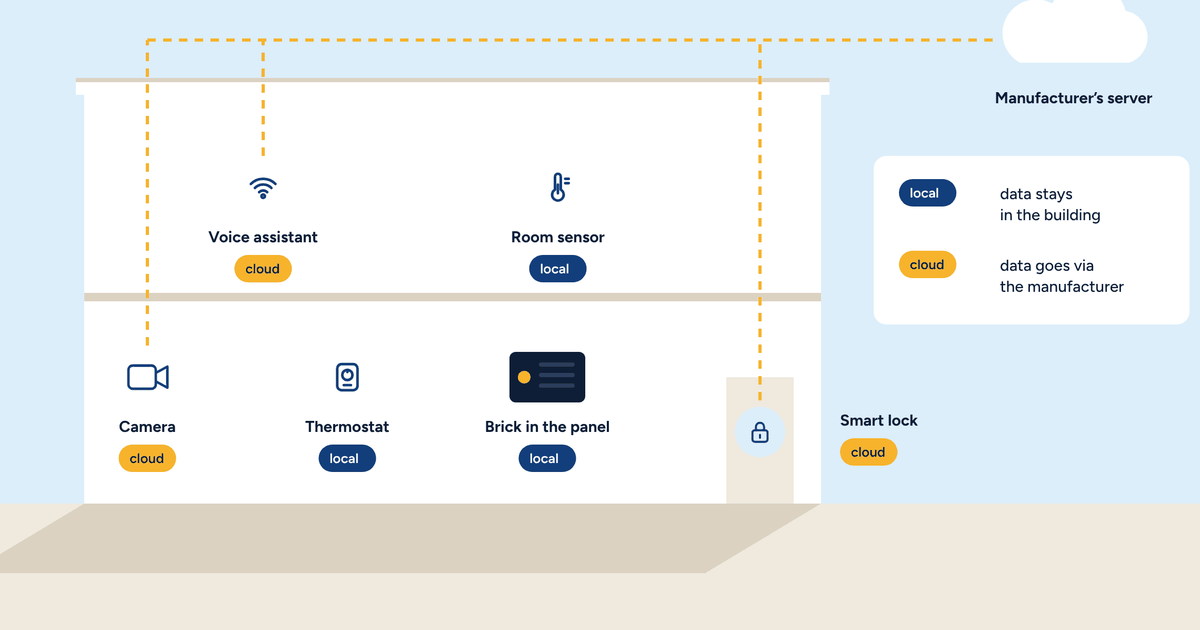
People looking for a thermostat without a cloud have usually had an experience already: an app that wouldn’t open, a service that started charging, a device that stopped working after a manufacturer’s decision. Or they simply don’t want their home’s temperatures travelling to servers they know nothing about.
Brick is built for local control, inside the building. In this article we explain it without jargon, for the people who use it every day: owners, families, managers of small buildings. For the technical details, see the articles on home automation without the cloud and remote access with a VPN.
Brick is a small computer that lives in the electrical panel, next to the other parts of the heating system. It does all the control work, right where it is:
None of this goes through the internet. Your system’s brain is in your home.
The app you use to see the rooms and change temperatures is Home Assistant’s. At home, your phone connects to Brick directly over the building’s Wi-Fi. Even if the internet line is down, the app at home keeps working, because it doesn’t need to go outside.
If several people live there, each has their own user. A guest or a cleaner can have limited access, for example to temperatures only, without being able to change the schedules.
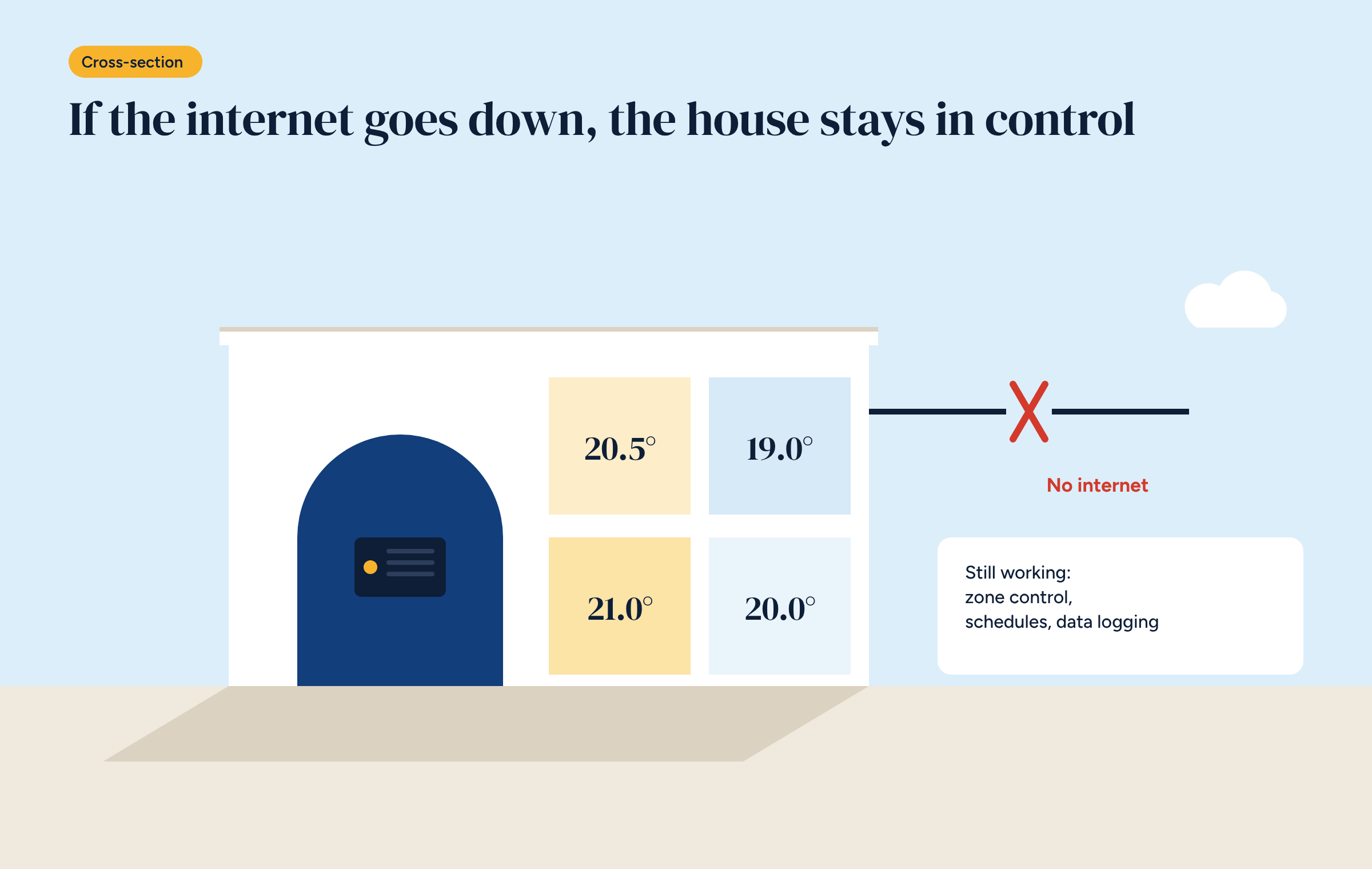
This is the most important question, and the answer is short: almost nothing.
You only lose access from outside, if you had it set up. When the line comes back, so does that, and the charts show everything that happened in the meantime, with no gaps.
With many cloud systems the opposite happens: without the internet you lose the smart features, sometimes the schedules, and the system falls back to working like an old thermostat, or worse.
Your system’s data is stored on Brick, in the panel. The temperature of every room, the heat source’s consumption, running hours, schedules. It is the data you need to understand how your home works, and it can reveal a lot about your habits, as we saw in the article on where thermostat data ends up.
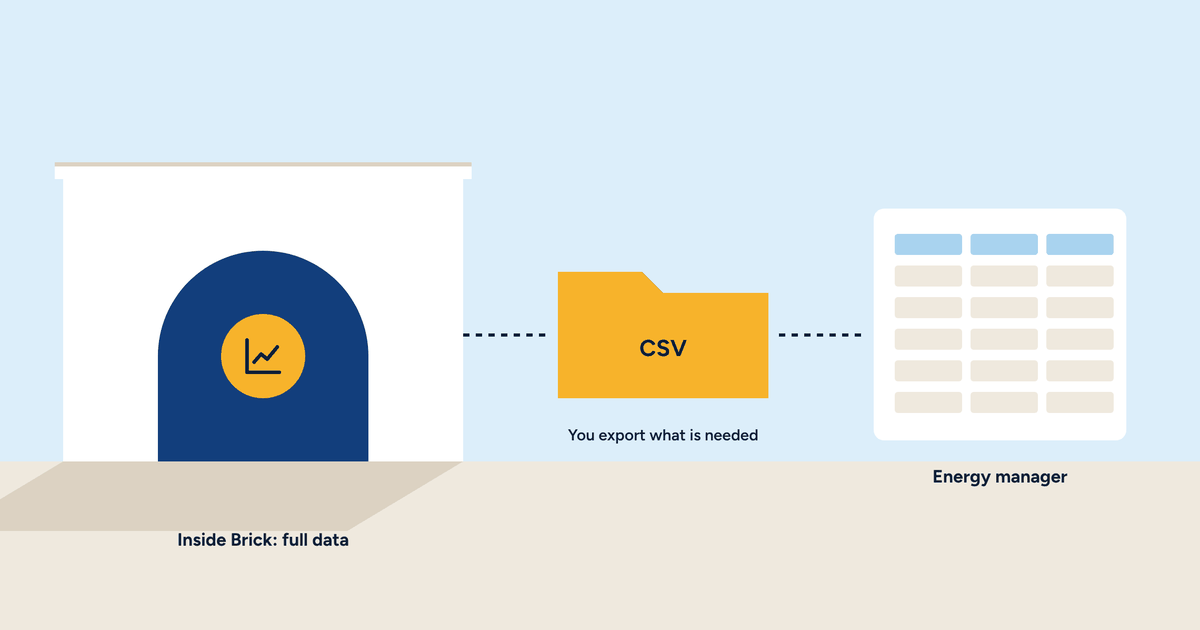
No copy is sent to ETECH LAB or anyone else unless you decide so. If one day you want to give it to an engineer or an energy manager, you export it yourself, choosing what to share, as explained in the article on exporting your data.
Only people with a user account can access Brick: you, the people you live with, and the installer if you have authorised them. From outside, access goes through a private network that your installer sets up and hands you the keys to, as described in the article on remote control without the cloud.
Every access is personal and can be revoked. If you change installer, you remove their key and give one to the new one. Nobody, not even ETECH LAB, can get into your system without your permission.
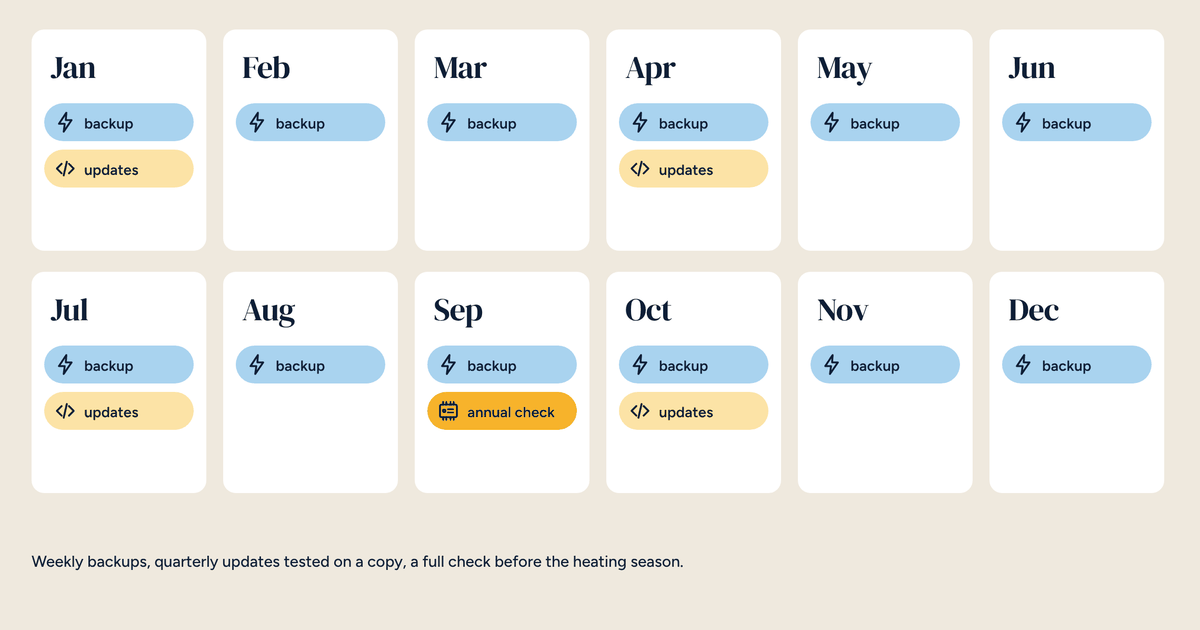
A system without a cloud still gets updated, just differently. Software updates don’t arrive on their own: your installer downloads and installs them once they have checked they are safe for your system, usually during a maintenance visit. That way an update never changes how your home works out of the blue, on a winter evening.
Brick is bought once. There is no subscription to use the app, see the charts or keep your data. The software is free, and your system does not depend on a paid service that could change its price or close. We did the sums in the article on the ten-year cost of a control system.
To understand what “local” means, follow a single day. At six, Brick starts heating the bedrooms, because the schedule says so and the floor needs time. At eight the house empties and the zones go to set-back. At noon the sun warms the south-facing living room, and Brick closes that zone without anyone doing a thing. At six in the evening, from the office, you raise the living room by a degree from the app. At eleven the house goes into night set-back.
All of this happens in the panel in your home. The internet was needed only once, for the command you sent from the office.
Your data only travels to a distant cloud if you decide so. Otherwise it stays inside the building, on the controller in the panel: no mandatory cloud, no subscription. It is the simplest way to explain it to someone outside the trade, and it is the promise Brick is built on.
Can I still use a voice assistant? Home Assistant works with many voice assistants, including local ones. Some features of the big brands’ assistants do go through their cloud: whether to use them is up to you.
If Brick fails, is the house left cold? The system’s safety devices are hard-wired and independent of the controller. In the event of a failure, your installer can restore the configuration from a backup onto a new controller.
Does Brick work during a power cut? Without power it stops, like the boiler or heat pump it controls. When power returns it restarts on its own and picks up control where it left off.
Can I change my mind and add a cloud service? Yes. Home Assistant also has an official, optional cloud service. The difference is that the choice stays yours, and the system keeps working without it.
Local control, app and data, no subscription, free software. The product page lists components and purchase options.