Your data stays yours
A smart thermostat knows what time you get up, when you leave the house and when you go on holiday. Not because anyone is spying, but because that information is written in the temperatures. It is worth knowing where it goes.
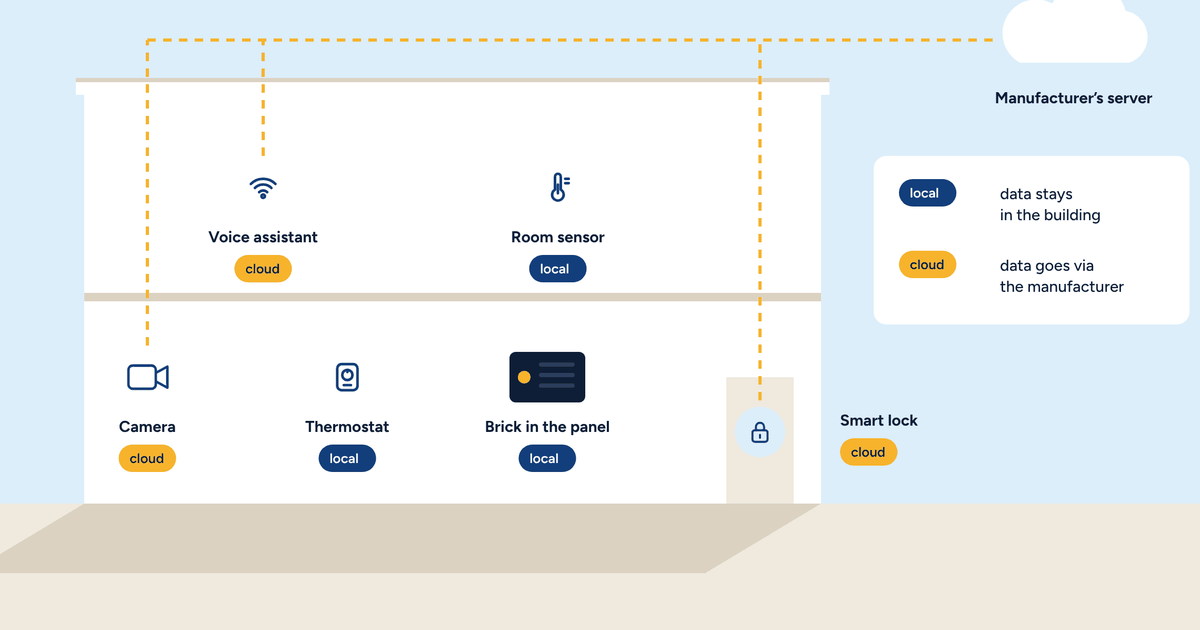
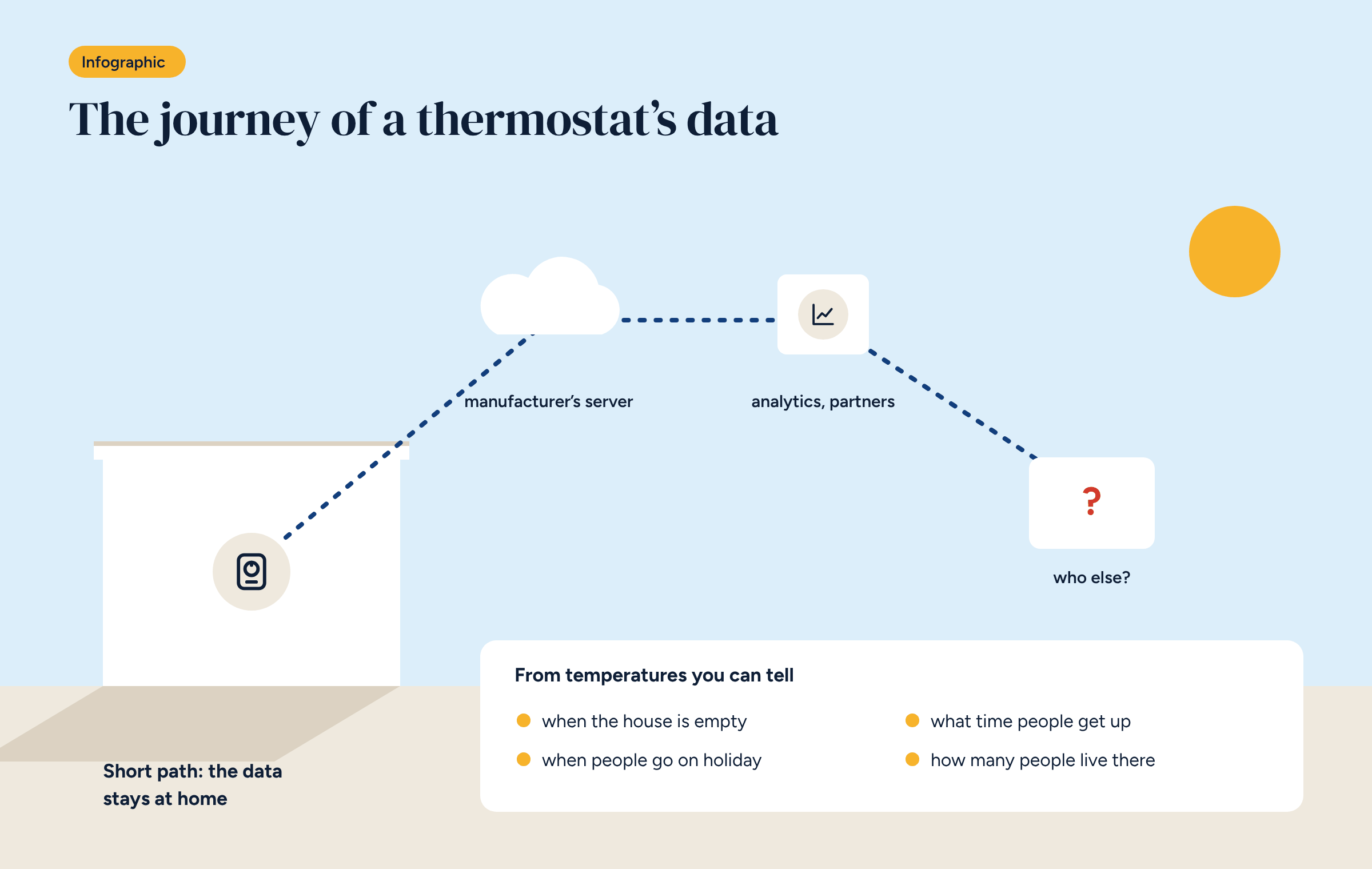
A traditional thermostat knows one thing: the temperature of the room it sits in. A cloud-connected smart thermostat knows far more, and sends it continuously to the manufacturer’s servers. That is how the app works, and how the manufacturer offers features such as energy-saving tips or switching to away mode when you leave.
There is nothing illegal about it, and often nothing hidden: it is in the terms of use. But few people read them, and fewer still ask what that data can reveal. Smart thermostat data privacy deserves a closer look, so let’s take one.
A cloud-connected thermostat typically sends the server, every few minutes:
Add the account data: name, email, home address, and sometimes billing details if you use consumption comparison features.
Taken one by one, these are harmless readings. Lined up over time, they say a lot about the lives of the people in the house. From temperatures and system states alone you can tell:
This is exactly the information a burglar would like to have, and that an insurer or an energy supplier would find interesting. It does not mean it is used that way. It means it exists, and it sits on a server outside the house.
Terms of use for cloud home services tend to repeat certain clauses. They are worth looking for before you buy.
Under European law, temperatures linked to an account are personal data, protected by the GDPR. You have the right to know what data is processed, to get a copy and to ask for it to be deleted. It is a useful right, but you need to know whom to ask.
In a private home the issue concerns one family. In an office, a school or a hotel it concerns employees, students and guests. Room temperatures, combined with presence sensors, show who is there and when.
For whoever manages these buildings, system data becomes third-party personal data, with everything that entails: privacy notices, data processors, supplier contracts. A system that sends everything to an external server adds a supplier to the chain. A local system shortens it.
A local control system keeps data where it is created: in the building. Temperatures are read, used for control and stored on a controller in the panel. The app reads them from there, at home or from outside through a private network, as we explained in the article on remote access without the cloud.
That does not mean giving up data: in fact, with a local system you can keep more of it, in more detail, because the storage is yours. It means you decide whether, when and with whom to share it. For example with an energy manager for an energy audit, exporting only what is needed.
This is the principle Brick is built on, and one of the reasons we chose home automation without the cloud: data stays exclusively available to whoever uses the system.
There is no need to throw away a thermostat that works. A few steps reduce the data leaving the house.
When the time comes to upgrade the system, the choice of a local system can then be made calmly, knowing exactly what you gain.
Before choosing a thermostat or a control system, three questions help you find out where the data will end up.
Temperatures, schedules and consumption are stored on the controller, in the panel. No external server receives them unless you decide so.