From panel to data

Many systems already have a thermostat in every room, but nothing coordinates them. With configuration A0 you keep the thermostats and add a controller that runs the flow temperature, pump, heat source and hot water. The job fits into one day.
There is a type of system you find everywhere, from early-2000s houses to small offices: underfloor heating, a wired thermostat in each room, each thermostat connected to its zone’s actuator. It works, but every room acts on its own. The boiler does not know how many zones are calling, the flow temperature never changes, and nothing is recorded.
To upgrade standalone thermostats to a connected system you do not need to change the thermostats. Brick’s configuration A0 starts from them: it leaves them where they are and adds a controller that coordinates everything else. In this article we follow the working day, hour by hour.
A typical A0 system looks like this:
Every part works. What is missing is coordination: weather compensation on the flow, heat demand based on the zones, hot water priority, data.
With A0 the thermostats stay in the rooms and keep doing their job: saying whether the room needs heat. But instead of driving the actuator directly, their contact goes to the controller. From there, Brick decides.
For the people who live there almost nothing changes: the thermostats are the same. What changes is how the plant room works, and from that day on the data is visible.
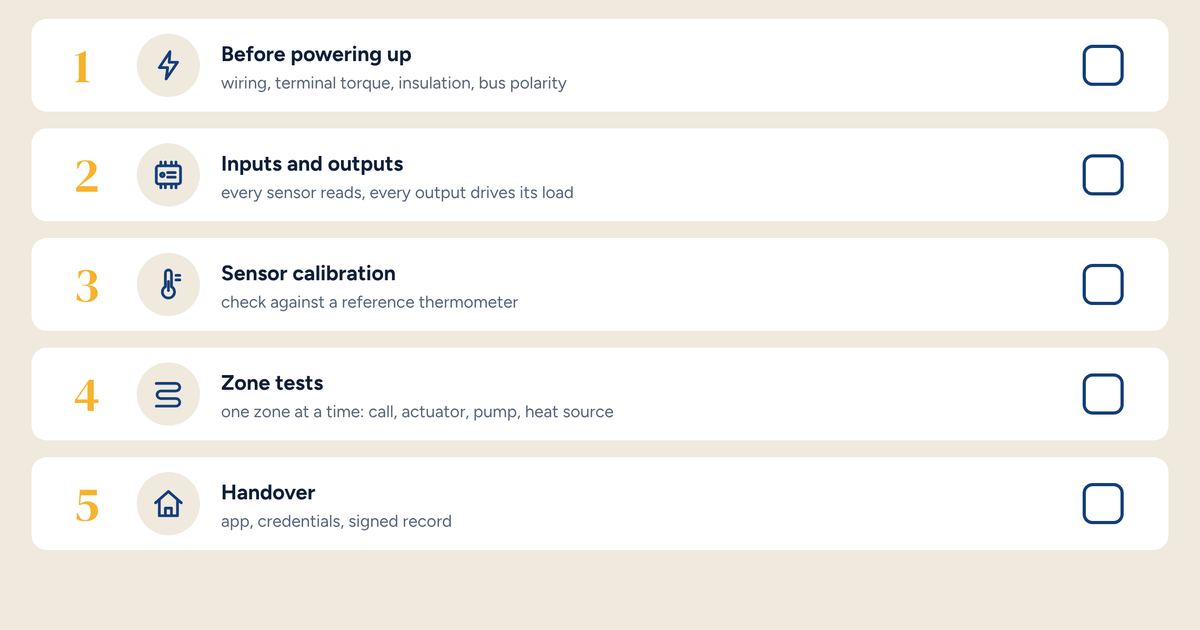
Before starting, have everything on site:
Building the panel in the workshop is the choice that makes the job fit into a day. On site you mount and connect; you don’t wire from scratch.
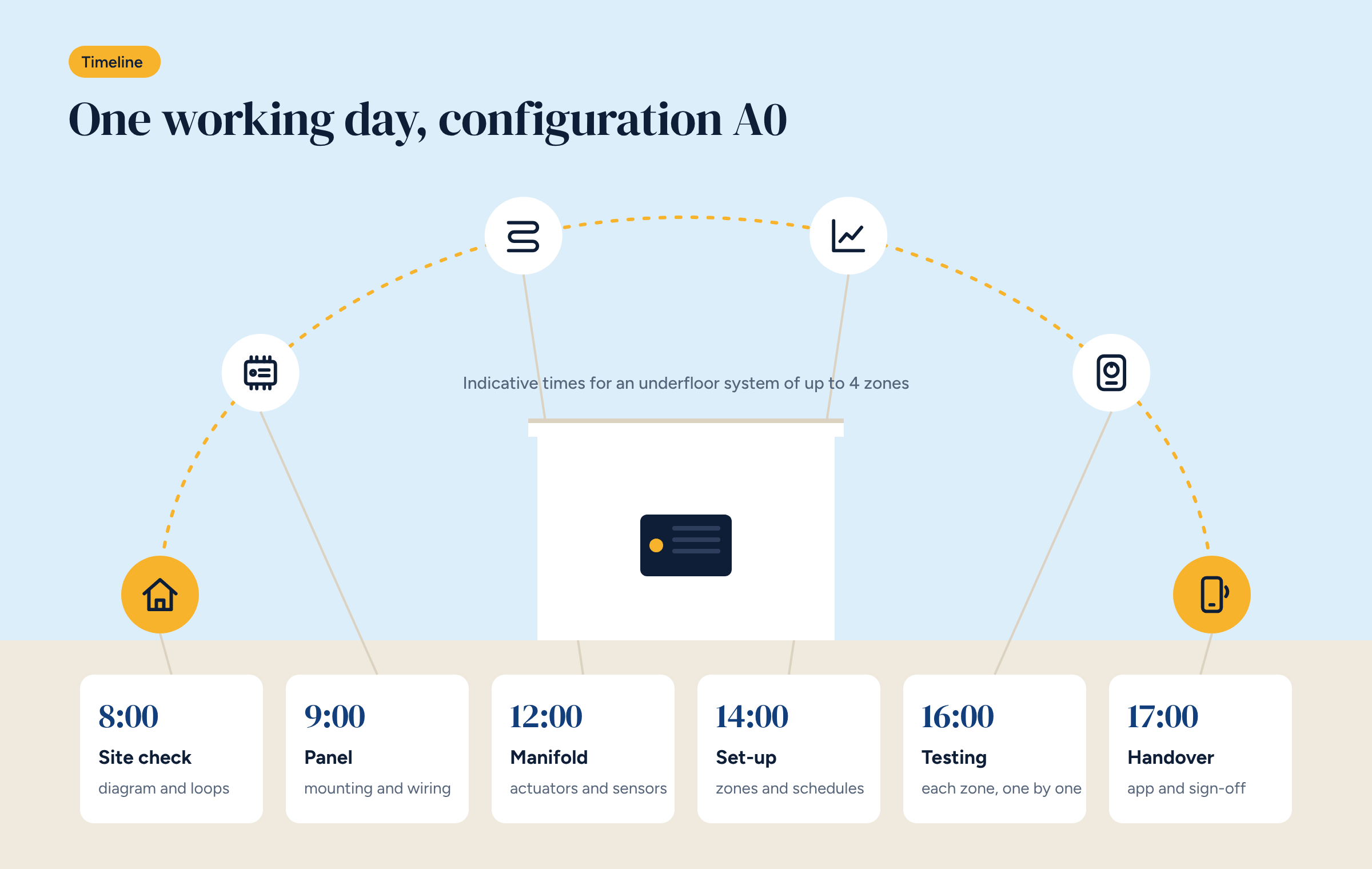
8 am, site check. Compare the diagram with the real system: which loops serve which zone, where the thermostat cables arrive, how the boiler is connected. Photograph everything before touching anything, including the existing wiring inside the boiler’s terminal box.
9 am, the panel. Mount the panel in the plant room, bring in a protected supply, connect the pump, mixing valve and heat demand. Fit the flow sensor, in good contact with the pipe and insulated, and the outdoor sensor, on the north wall.
12 noon, the manifold. Disconnect the actuators from the thermostats and bring them back to the panel. The thermostat cables go to Brick’s inputs. This is when the heating is off, usually for a couple of hours.
2 pm, set-up. Brick with the A0 configuration already has the logic in place: assign inputs and outputs to the zones, set the starting heating curve, the flow limits and hot water priority.
4 pm, testing. One zone at a time: force a call from the thermostat and check that the right actuator opens, the pump starts, the valve moves and the demand reaches the heat source. Then test the hot water.
5 pm, handover. Show the client what has changed: for them, almost nothing, the thermostats are the same. Hand over the updated diagram, the app credentials and the sign-off record.
On a day like this, delays almost always come from the same places.
The real tuning starts afterwards. In the first two weeks, look at the charts: does the flow follow the curve? Do the zones reach temperature? Is the boiler starting too often? Adjust the curve as explained in the article on weather compensation, one step at a time.
And after a few months, if the client wants, the next step is simple: replace the wired thermostats with wireless sensors and move to control from the app, as in the B configurations. The controller and panel stay the same. It is the same path described in the article on going from one to eight zones, done in two stages.
The simplest way to put it to the client: the thermostats stay the same, but from today something listens to all of them together. The standalone layout, with each thermostat working on its own, becomes a connected system, with links to Brick coordinating zones, flow temperature and heat source. It is the quickest way to show what really changes, and what stays as it is.
A0 covers up to 4 zones. For larger systems, up to 8 zones, there is A1, with the same logic. Either way, anyone who already knows underfloor heating control will find a familiar layout: the only change is who coordinates the zones.
Architecture diagram and wiring diagram for configuration A0, in DWG. They are the starting point for your panel.