Your data stays yours

A connected heating system is a computer on a network, and should be treated as one. You don’t need to be a cybersecurity expert: you need seven rules, applied every time, from day one.
Until a few years ago, home automation network security was a niche topic. Heating systems were islands: a controller, some wires, no network. Today a system with app control, wireless sensors and data logging is, for all practical purposes, a computer connected to a network, and often to the internet.
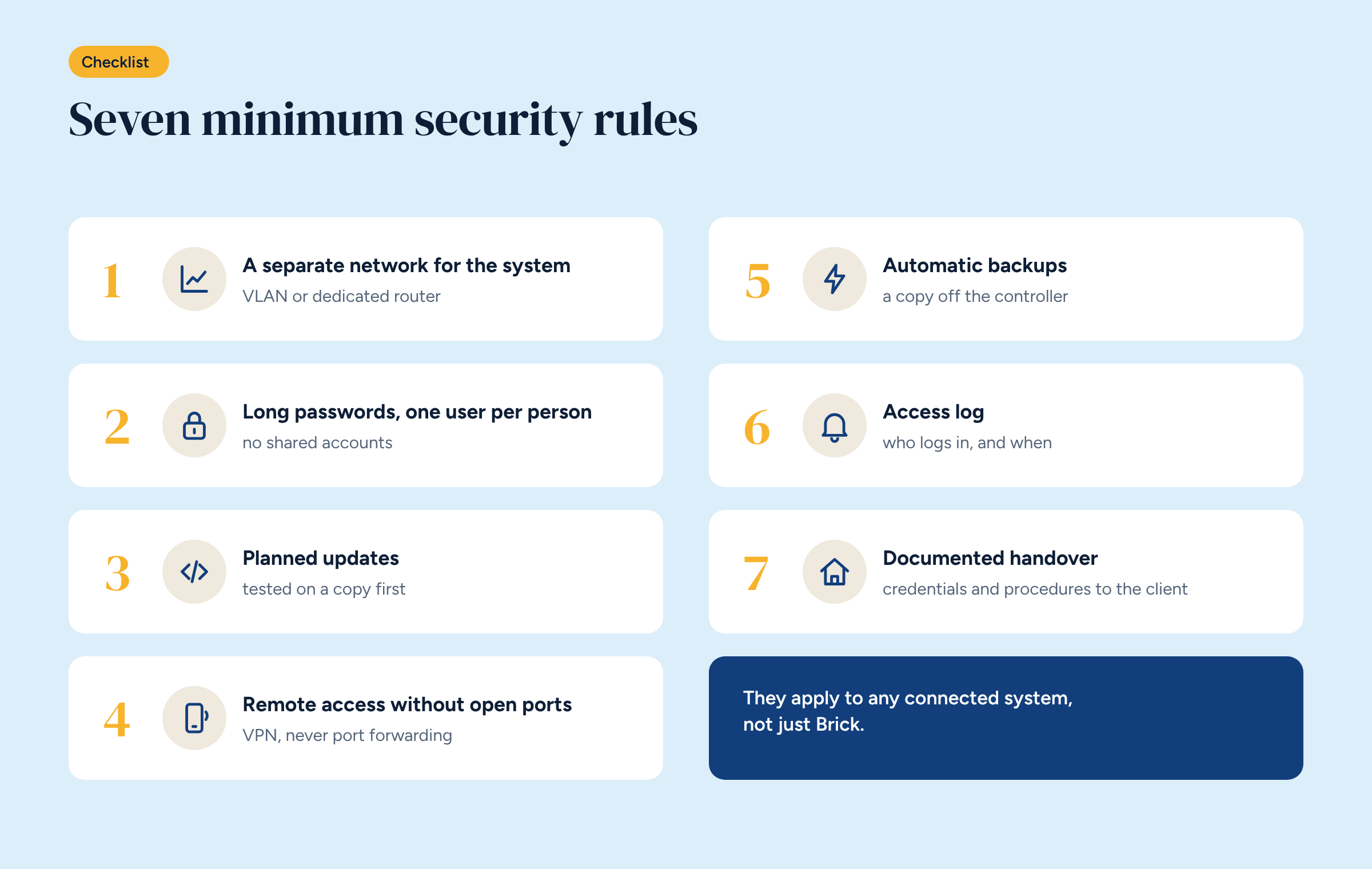
That is no reason to give up the benefits of a connected system. It is a reason to install it following a few rules, the same ones that apply to any network device. We have picked seven: they are the minimum, they apply to any system and not just Brick, and they take discipline more than expertise.
The first objection is always the same: who would attack a heating system? In fact, attacks are rarely targeted. Automated programs scan the internet day and night for exposed devices with weak passwords or old software. When they find them, they use them: to get into the building’s network, to send spam, to join attacks on others, sometimes to lock them up and demand a ransom.
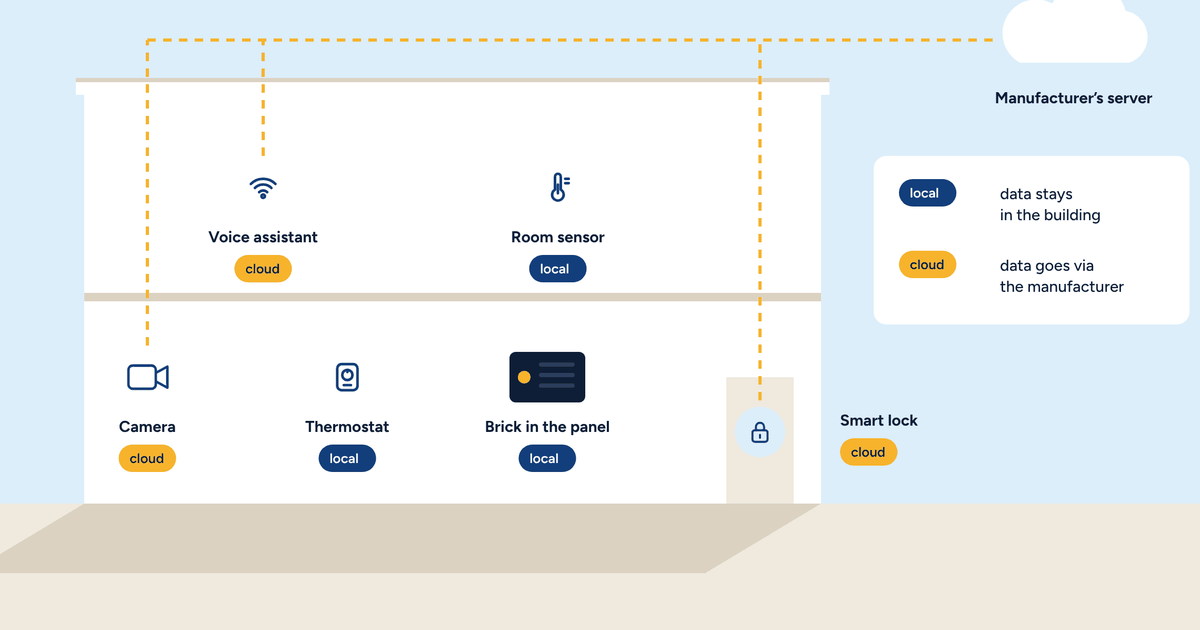
A compromised heating system can also do direct damage: a floor left unheated in a holiday home in winter, an office that is cold on Monday morning. And it reveals personal data, as we saw in the article on where thermostat data ends up.
The system should not share a network with office computers, guests’ phones or the home TV. A separate network, either a VLAN on the existing router or a dedicated router, stops a compromised device on one side from reaching the other.
In a non-residential building it is practically essential. In a home it is still good practice, and with a dedicated 4G router the system also gets a connection independent of the home line.
Factory passwords are always changed, on the first day: controller, router, app, panel. New passwords are long, at least fifteen characters, and different from those used elsewhere.
And each person gets their own user. No accounts shared between the owner, family, staff and installer. When someone should no longer have access, you disable their user without changing everyone else’s password. Home Assistant supports users with different permissions: hotel staff can see the rooms without being able to change the configuration.
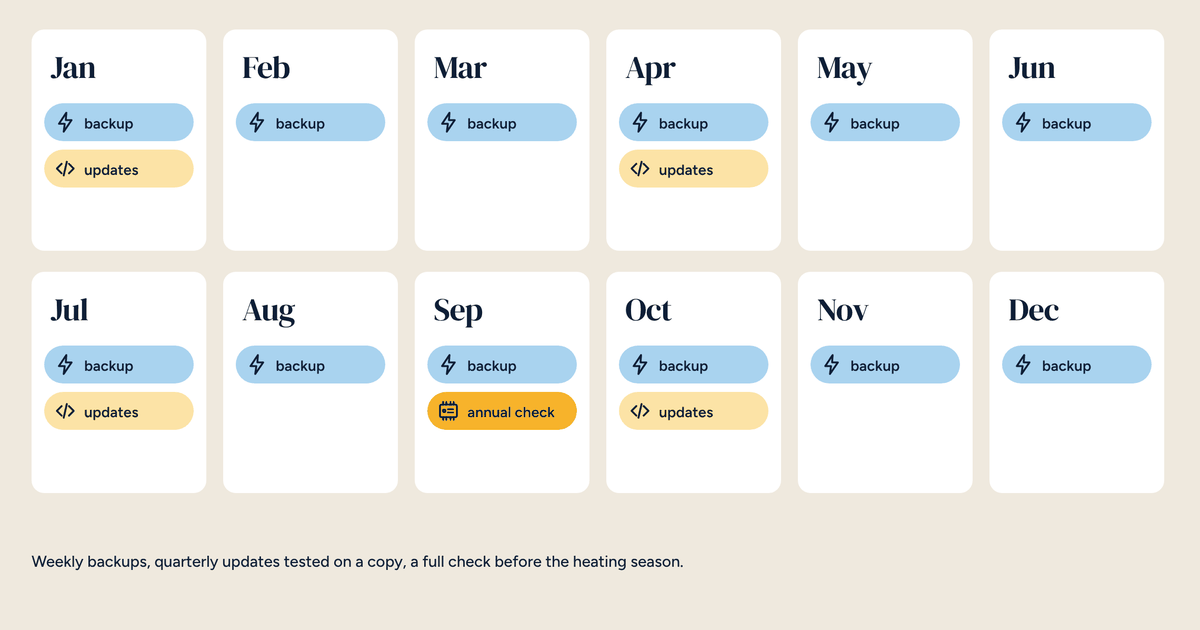
Software gets updated, because updates also fix security flaws. But in a building system updates are planned: tested on a copy first, applied when a problem won’t leave anyone in the cold, and logged with what was updated and when.
The rule applies to the controller, the router and the devices’ firmware. A system that has not been updated in five years is a vulnerable system, even if it works perfectly.
This is the most important rule, and the most often broken. Opening a port on the router to the system’s app is the most convenient shortcut and the most dangerous: it makes the system visible to anyone on the internet.
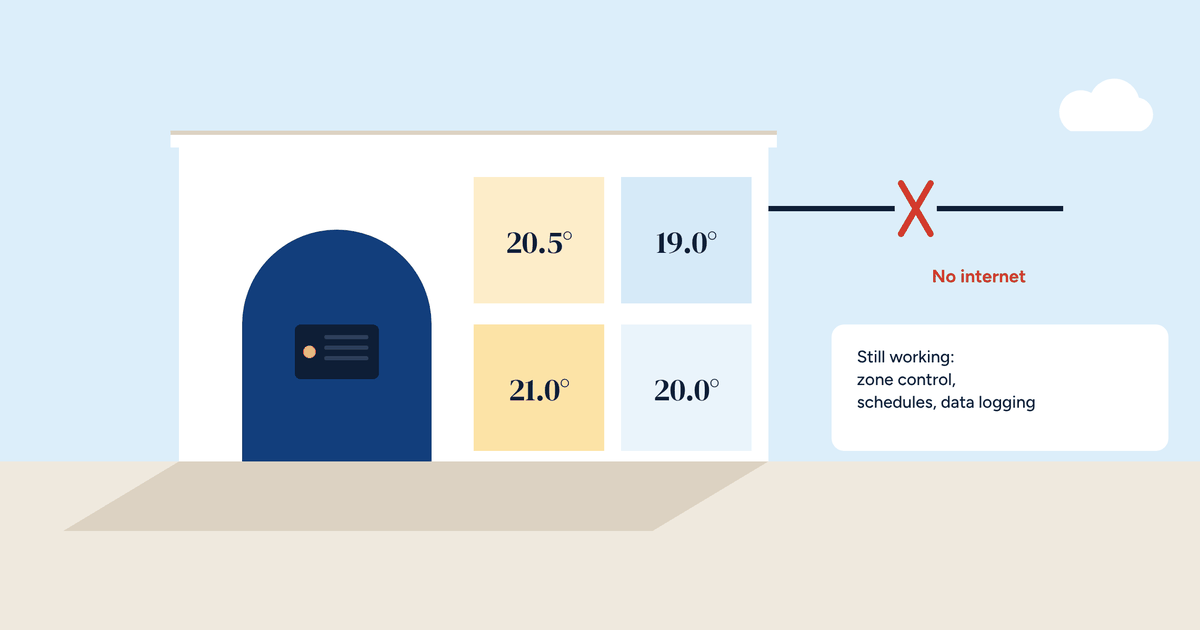
Access from outside goes through a virtual private network, a VPN, as we described in the article on remote access without the cloud. The phone enters the system’s network through an encrypted tunnel, with a personal key. From outside, there is nothing to find.
A backup is there for two reasons: a hardware fault and a security incident. In both cases the quickest fix is to restore the configuration onto a clean controller.
Backups must be automatic, regular and also stored off the controller: on another device in the building, or with the installer. A backup that lives only on the controller is lost with it. And a backup should be tested at least once, by restoring it, so you know it works.
Who logs into the system, when, and from where. Home Assistant records logins and changes, and the router records VPN connections. Nobody needs to read these logs every day, but they must exist, and someone must look at them when something odd happens: a schedule changed by nobody, a login at three in the morning.
In buildings where many people have access, the log is also a tool for clarity: it shows who changed what, without arguments.
A system’s security is also decided on handover day. The installer leaves the client a document with:
It is the document that lets the client stay in charge of their own system, even if the installer changes. With an open system it is essential, as we wrote in the article on home automation without the cloud.
On a system that is already installed, there is no need to do everything in one day. A sensible order is this: first close any open ports on the router and change every factory password, because these are the biggest risks and take an hour to fix. Then switch on automatic backups. Then separate the network and set up the VPN. Finally, prepare the handover document, even after the fact.
A check like this can be offered as a job in its own right, during the maintenance visit before the heating season.
European rules on the security of connected products are getting stricter, for manufacturers and for operators of important services. For the installer of a heating system, no new obligations appear overnight, but the direction is clear: a connected system installed without attention to security will be less and less acceptable, especially in public buildings and businesses.
The seven rules are the starting point. They take little time, apply to any brand and, once they become habit, go unnoticed.
The seven rules on one page, to fill in for each system and leave with the client along with the handover record.