Open by choice

Home Assistant is the most widely used open-source home automation software in the world. It runs happily on a board sitting on a shelf. A heating system that has to work for twenty years needs different rules.
Home Assistant started in 2013 as one enthusiast’s project and is now one of the most active open-source projects in the world. It has more than 2,000 integrations with devices and services, a phone app, a huge community, and it is run by a non-profit, the Open Home Foundation. Anyone who uses it at home knows how capable it is.
Yet when it comes to a Home Assistant professional installation, many installers frown: “That’s for hobbyists.” They are half right. The software is solid. What is often missing is everything around it.
The strengths first, because they are real.
For an integrator, that means doing in a few days what a closed system requires courses, licences and dedicated software to achieve.
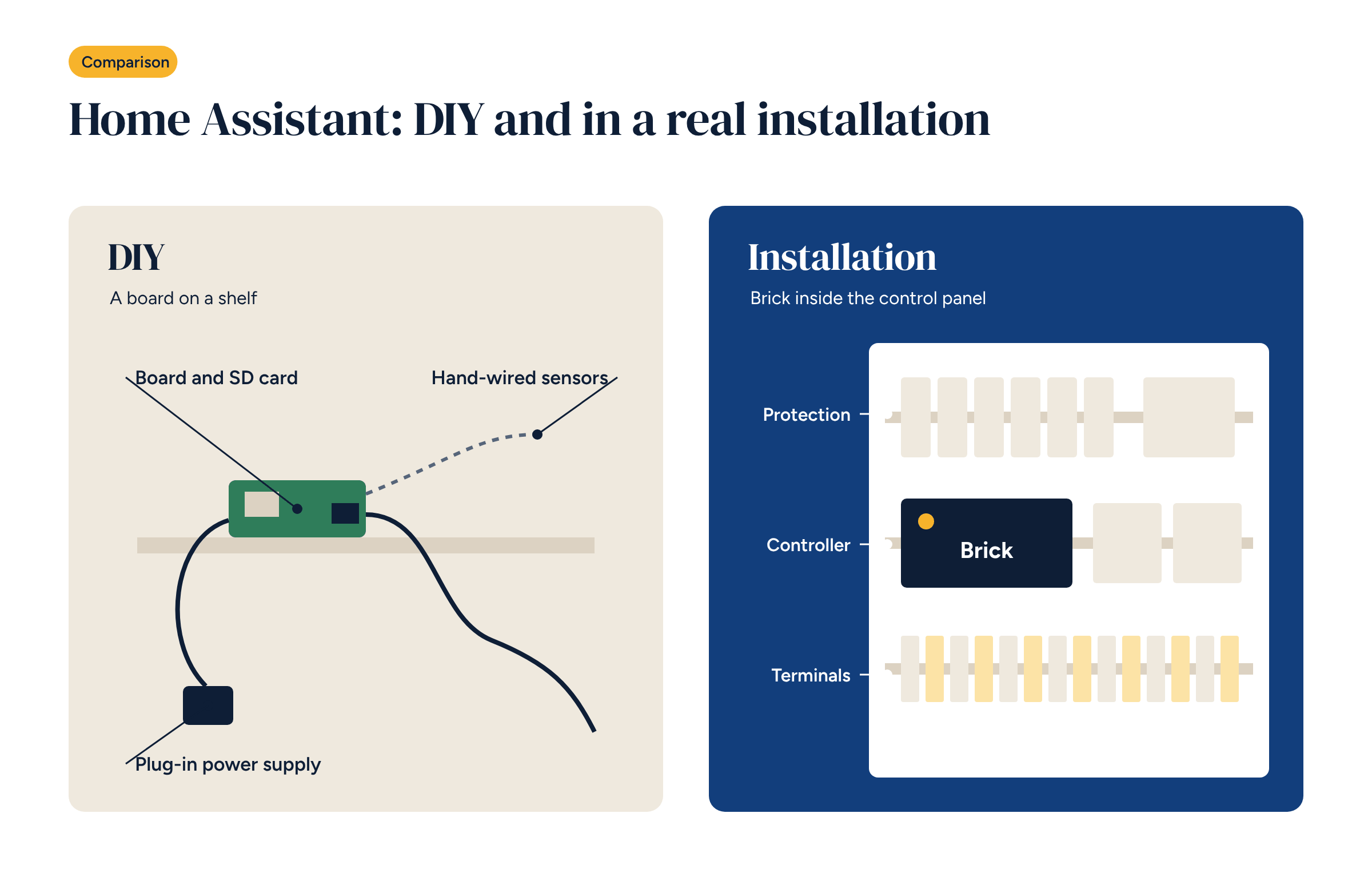
The trouble starts when Home Assistant is installed the way it is at home: a Raspberry Pi-style board, a plug-in power supply, an SD card, a few USB sticks for the protocols, loose wires to the sensors. For a hobbyist that is fine. In a building system there are at least five weak points.
Storage. SD cards wear out under the constant writes of a system that logs data every minute. Sooner or later they fail, usually in the middle of winter.
Power. A plug-in power supply is not designed to sit in a plant room for years, and it is not protected like the circuits in a panel.
Mounting. A loose board cannot be fixed in an electrical panel, has no terminals and no suitable enclosure. And heating systems have strict rules about how components are wired.
Inputs and outputs. Sensors and actuators in a heating system do not connect directly to a board’s pins. You need analogue inputs suited to the sensors, relays for the loads, 0–10 V outputs for the valves and field buses such as RS-485.
Temperature. Plant rooms get hot in summer, hotter than a board designed for a desk can handle for long.
None of these problems is about Home Assistant itself. They are about the hardware it runs on and the way it is installed.
Bringing Home Assistant into a building system therefore takes components designed for the electrical panel: a controller that mounts like the other devices, is powered from the panel and has inputs and outputs suited to sensors, actuators, pumps and valves.
That is why we designed Brick. The controller has 22 inputs and outputs and embedded Linux based on Debian, with Home Assistant, Node-RED and Grafana. If you need more points there is an 8 input/output expansion module, and for the panel door there is Brick-HMI, a 7-inch touch panel. On top of the hardware come ready-made configurations for underfloor and fan coil systems, with the wiring diagrams already drawn.
The software stays the same one the community uses: if you know Home Assistant, you will feel at home.
The second difference between a home and a building system is not technical, it is organisational. Home Assistant releases a new version every month. At home you update when you feel like it, and if something breaks you fix it in the evening. In a building system someone has to answer for every update.
So a professional installation needs a few clear rules:
Anyone who has worked with professional building management systems knows these rules well. They apply to Home Assistant just the same.
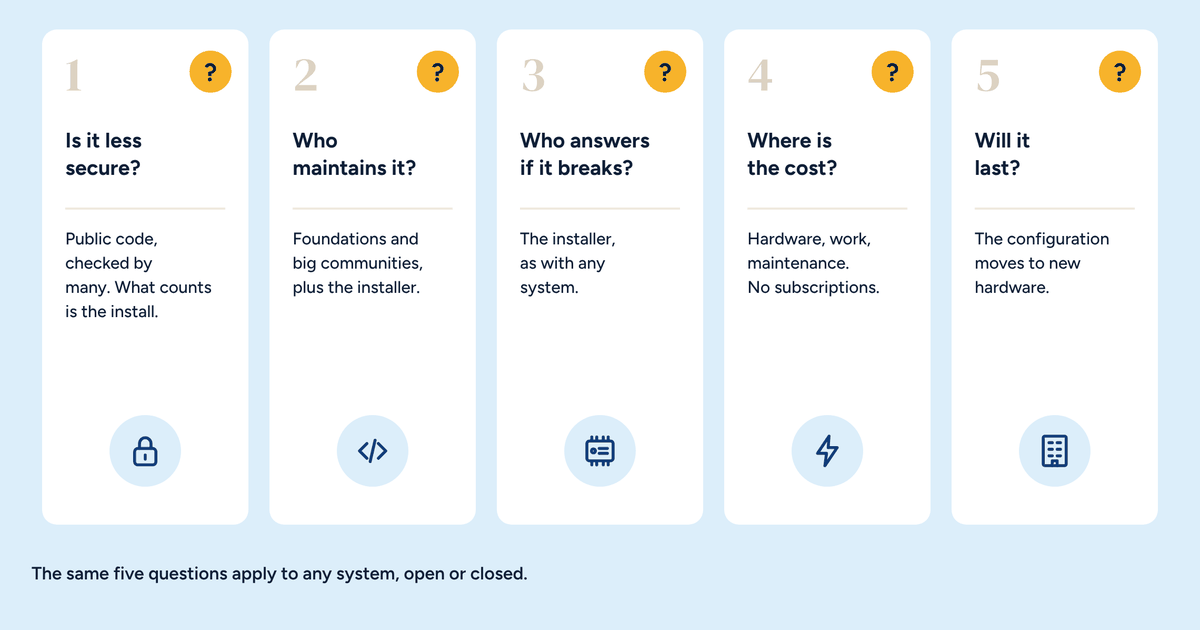
Before proposing Home Assistant to a client, answer four questions.
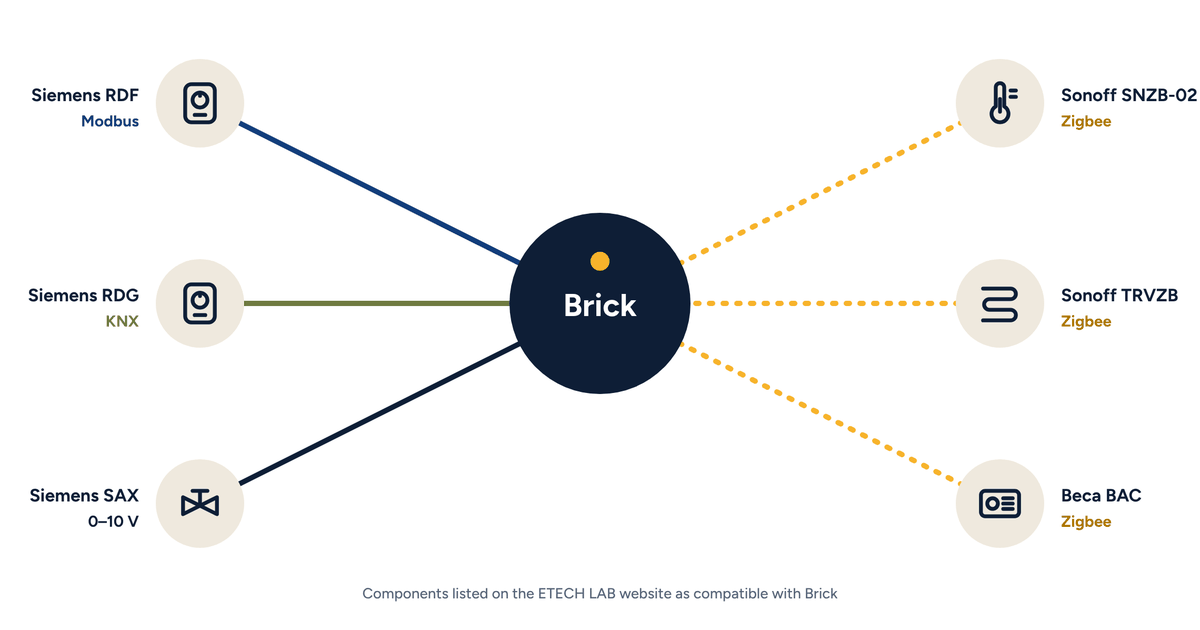
Of Home Assistant’s 2,000-plus integrations, a heating and cooling system uses only a few, and always the same ones. Modbus for heat pumps, energy meters and room controllers. KNX where the building already has a bus. Zigbee for wireless sensors and actuators in the rooms. MQTT to let Home Assistant, Node-RED and other systems talk to each other. Add to these the integrations for electricity meters and, where there is one, the solar PV system, useful for running the heat pump when generation is high.
It pays to stick to these and, where possible, to prefer integrations that work locally. Every integration tied to a manufacturer’s cloud service brings back into the system the very dependency you were trying to avoid.
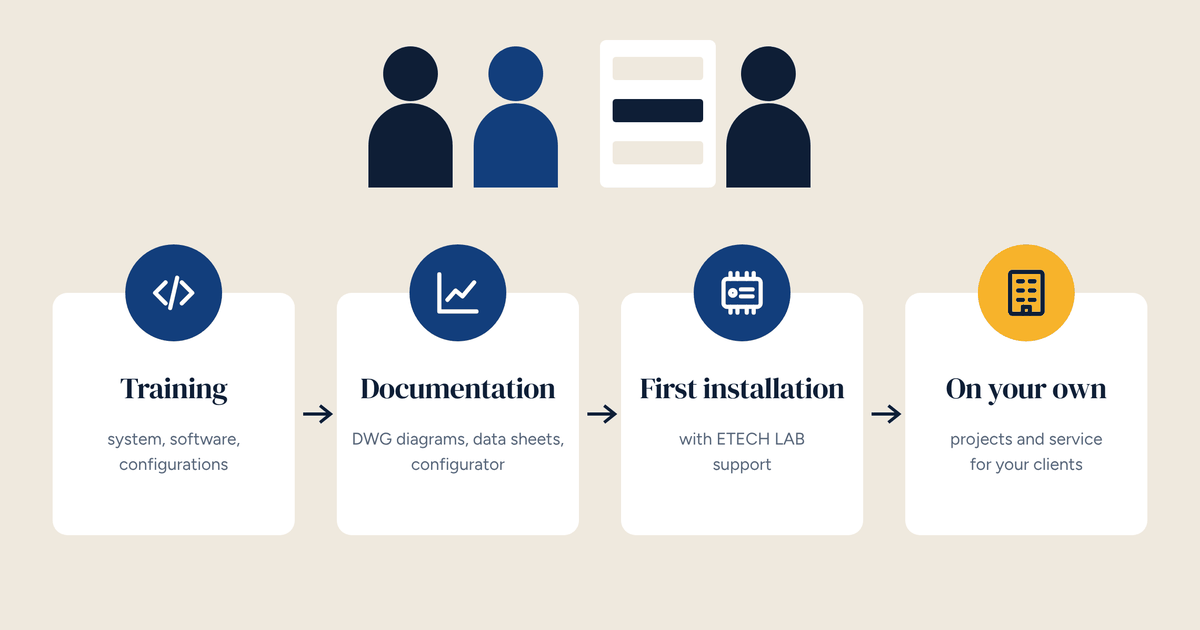
Brick does not replace Home Assistant or hide it. It gives it building-grade hardware, configurations already proven for heating control, and the experience of people who have been commissioning heating systems for twenty years. It comes in four options: bare hardware; hardware with Linux, Home Assistant and Node-RED pre-installed; pre-configured for multi-zone climate control; or custom-designed.
If you want to do everything yourself, start from the hardware. If you want a system that works from day one, start from a ready-made configuration. Either way, the software stays free and the system stays with its owner.
Brick ships with Linux, Home Assistant and Node-RED installed, or as bare hardware if you prefer to start from scratch. The data sheet lists inputs, outputs and purchase options.